Baby & Kids

6 Best Video Baby Monitors of 2026

The six best video baby monitors of 2026, from hybrid Wi-Fi to no-Wi-Fi models, compared on picture, battery, privacy and value.

By RankingDeals Updated: How we rank

As an Amazon Associate I earn from qualifying purchases. Advertising & Monetization Disclosure.

Quick answer

The best choice for most people is the eufy Baby Monitor E21 (9.2/10). Hybrid Wi-Fi and direct-link monitor with a 4K camera, 5-inch parent screen and no subscription; praised as the strongest all-rounder.

Check price on Amazon

Also worth a look: Momcozy BM01 (Best Non-WiFi Video); Nanit Smart Baby Monitor System (Best for Sleep Tracking); Babysense HD S2 (Best Battery Life).

Top picks at a glance

1

eufy Baby Monitor E21

Best Overall
9.2/10

Our take

Hybrid Wi-Fi and direct-link monitor with a 4K camera, 5-inch parent screen and no subscription; praised as the strongest all-rounder.

Pros

  • Works with or without Wi-Fi in a single product
  • Camera moves remotely so you rarely need to enter the room
  • All features free, with no ongoing plan
  • Built-in camera battery covers short power cuts

Cons

  • Among the more expensive monitors in this guide
  • App is less refined than dedicated smart-monitor brands

Full review

The eufy E21 is the monitor we recommend to most families because it refuses to make you choose between a bedside screen and a phone. The camera pairs directly with the included 5-inch parent unit, so you can watch the cot with the router switched off, and it also connects to Wi-Fi when you want to look in from another room or from outside the house. Few rivals offer both approaches in one box, and independent reviewers reached the same conclusion: one named it the editors' choice for most families, and another picked it as the best hybrid. Picture quality is a strength. The camera records in 4K, pans through 330 degrees, tilts and zooms up to eight times, so you can follow a baby who has rolled to the corner of the mattress without entering the room. The parent screen itself is 720p, which is sharper than most direct-link rivals but not 4K, and it is worth knowing before you expect a cinema image on the small panel. The camera also has a built-in battery of roughly nine hours, handy for a quick move to another room or a power cut, and the monitor comes with a charging base. There is no subscription: recording, alerts for crying and noise, and the app features are free according to the manufacturer. A hardware switch can cut the Wi-Fi connection entirely when you want a fully local setup, which is reassuring for privacy-minded parents. The compromises are modest. The app is less polished than that of dedicated smart-monitor brands, and reviewers noted some feedback at high speaker volume and a charging base that is not portable. It is also one of the more expensive options here, so it makes most sense if you will use both modes. If you only ever want a screen, the next models give you most of the benefit for less money.
2

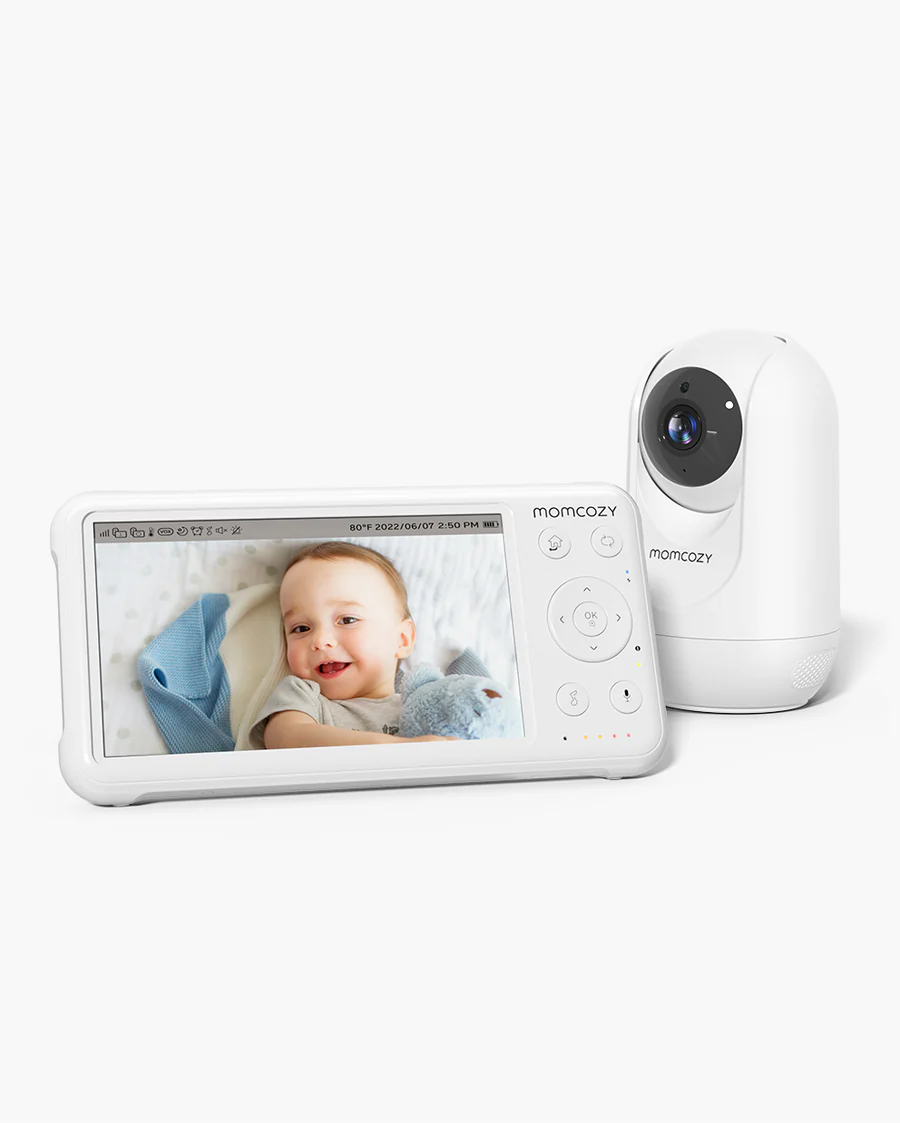
Momcozy BM01

Best Non-WiFi Video
8.8/10

Our take

Simple no-Wi-Fi monitor with a 5-inch screen, 360° camera and expandable to four cameras; praised for easy setup and clear night video.

Pros

  • Plug-in setup with no app or account
  • Supports up to four cameras
  • Smooth remote pan, tilt and zoom
  • Works with the router off

Cons

  • No split-screen view with several cameras
  • Speaker volume is low for some users

Full review

The Momcozy BM01 is the monitor for parents who want a bright, simple screen and nothing else. It uses a closed 2.4 GHz link between the camera and a 5-inch parent unit, so there is no app to install, no account to protect and no dependence on the router. You plug in the camera, switch on the screen and the picture appears. Babylist picked it as its best video monitor, praising easy setup, strong day and night video and smooth remote movement. The camera turns through 360 degrees, with tilt and zoom controlled from the parent unit, and infrared night vision keeps the image usable in a dark room. The manufacturer quotes roughly eleven and a half hours of battery with the screen and sound on, and longer with the screen off, which is enough for a day of moving around the house. Range is generous on paper, though concrete walls will reduce it, as they do for every direct-link model. The system can take up to four cameras, so it grows if you have a second child or want to cover another room. Compared with the hybrid winner, you give up remote viewing from outside the house and any alerts on your phone. In return you get a lower learning curve and fewer things to go wrong. That makes it a very good first monitor, and a sensible second unit for grandparents' houses. The weak points are small. Some reviewers wanted more speaker volume, and there is no split-screen view when you add extra cameras, so you switch between them manually. If those limits do not bother you, this is one of the easiest ways to get clear video of a sleeping baby without involving the internet at all.

3

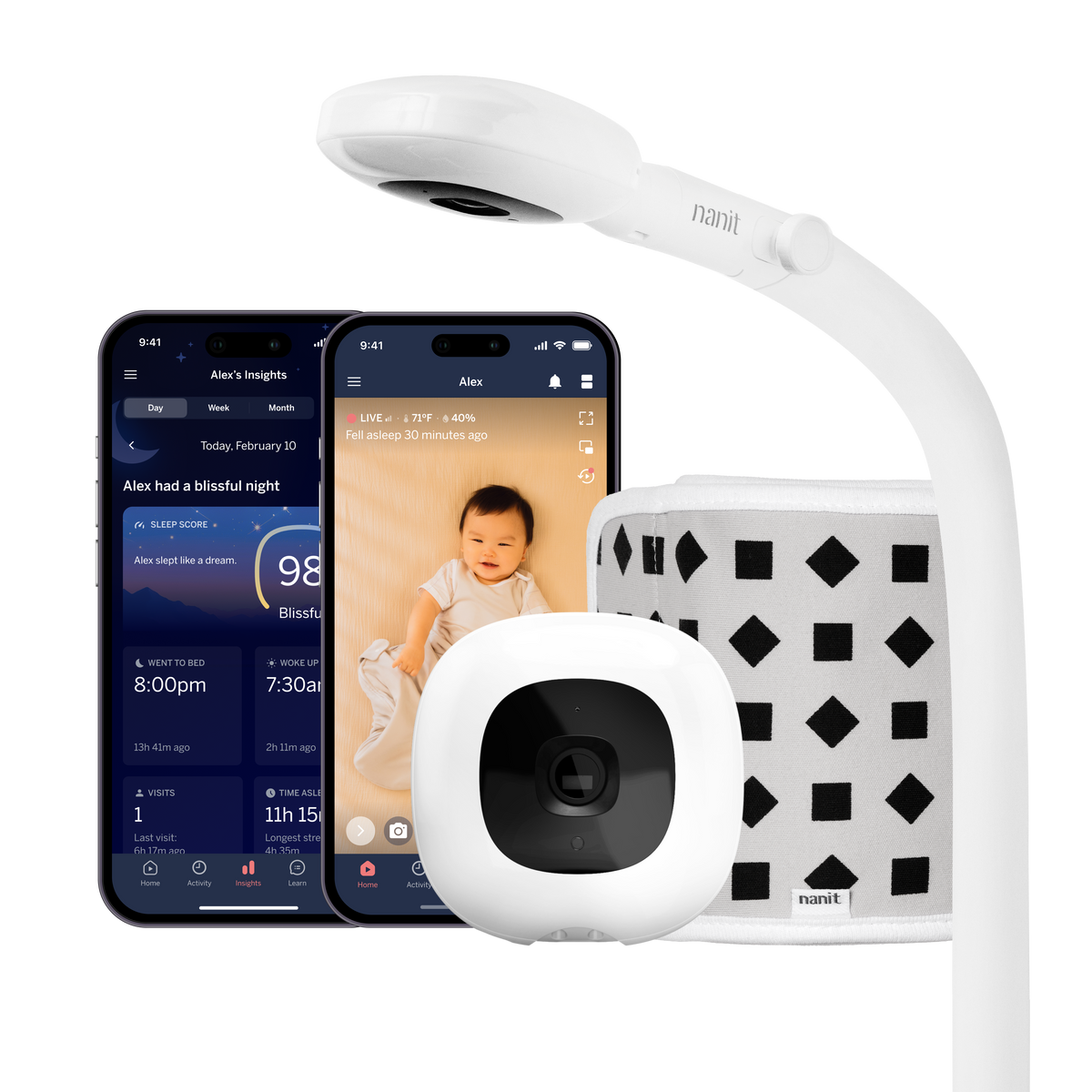
Nanit Smart Baby Monitor System

Best for Sleep Tracking
8.6/10

Our take

Wi-Fi smart monitor with overhead camera, sleep analytics and optional wearable band; strong app but expensive with paid plans for the deepest insights.

Pros

  • Detailed sleep and movement insights
  • Reliable alerts and live view from anywhere
  • Optional large dedicated display
  • Temperature and humidity readings

Cons

  • High price and optional paid plans
  • Parent display battery is short
  • Needs the fixed mount for full analytics

Full review

The Nanit Smart Baby Monitor System is built around the idea that a camera should tell you more than whether the baby is awake. Its overhead camera, mounted on a wall or floor stand, tracks sleep patterns and movement, sends sound and motion alerts, and can read breathing motion through a special wearable band. Babylist named it the best Wi-Fi monitor, and BabyGearLab included it among its reviewed models for its responsive alerts and large 7-inch hybrid parent unit. Picture and day-to-day use are good. The camera records in 1080p with night vision, and a dedicated display can be added so you are not forced to rely on a phone, although in the reviews it is sold separately or in a bundle. The app brings temperature and humidity readings, white noise, two-way audio and live view from anywhere. The manufacturer says live view, real-time alerts and two-way talk do not need a subscription, while the deeper sleep coaching and history sit behind paid plans. This is the right choice for parents who like data, want to understand sleep patterns and are comfortable with an app-based, cloud-connected device. It is not the right choice if you want a simple screen. Reviewers criticised the lack of sound-triggered activation, the short battery of the parent display and the high price, and the amount of tracking information can feel overwhelming rather than helpful. It also requires the right mount: the manufacturer notes that the full sleep analytics depend on the floor stand or wall mount, while the portable stand gives a narrower view and fewer insights. Treat breathing features as reassurance and not as a safeguard, and keep following safe sleep guidance.

4

Babysense HD S2

Best Battery Life
8.4/10

Our take

No-Wi-Fi 5-inch monitor with up to 20 hours of eco-mode battery, pan-tilt-zoom camera and split-screen support.

Pros

  • Very long parent-unit battery
  • Split screen with several cameras
  • Adjustable night light and lullabies
  • No app or internet needed

Cons

  • 720p picture is only average in detail
  • Camera must stay plugged in

Full review

The Babysense HD S2 earns its place by lasting. Its 5-inch HD parent unit carries a 4,000 mAh battery that the manufacturer rates at up to twenty hours in eco mode and twelve in normal mode, and Xataka also highlighted its autonomy as a clear strength. For a family that wants to carry the screen from the kitchen to the bathroom to the sofa without hunting for a charger, that matters more than any extra feature. It is a direct-link monitor, so it needs no Wi-Fi and no app. The camera pans, tilts and zooms four times from the parent unit, offers two-way audio and night vision, and includes an adjustable night light with lullabies. The brand states the link is private and cannot be accessed from the internet, which is the logic of a closed radio connection. You can add cameras up to four in total and use a split-screen view with two or more, a point where it beats the Momcozy BM01. The trade-offs are the usual ones for this category. The picture is 720p rather than 1080p or 4K, so detail is good but not outstanding, and Xataka notes that the camera must stay plugged into the mains all the time. Extra cameras are sold separately, which raises the total if you want to cover more than one room. Expect an experience closer to a reliable appliance than a smart gadget. Choose it if battery life and multi-room coverage with a simple interface are your priorities. If you want remote viewing from outside the house, look at the hybrid or Wi-Fi models higher in the ranking instead.

5

Philips Avent Premium SCD891

Best Certified Privacy
8.1/10

Our take

Compact direct-link monitor with certified private connection, temperature sensor and lullabies; small 3.5-inch screen is its main drawback.

Pros

  • Independently certified private connection
  • Room temperature reading and lullabies
  • Vibration alert when the sound is off

Cons

  • 3.5-inch screen is small
  • Signal can weaken at long distances

Full review

The Philips Avent Premium SCD891 is a compact, well-rounded direct-link monitor from a brand that parents in Spain know well. Its main selling point is a certified private connection: the parent unit pairs once with the camera over a 2.4 GHz link, and the manufacturer says the system has independent cybersecurity certification. For households that want no cloud account and no app at all, that is a reassuring combination. Xataka praised it as a very complete monitor, with night vision, two-way talk with an intercom mode, lullabies and white noise, and an ambient temperature sensor that helps you judge whether the room is comfortable. The camera pans and offers four times digital zoom, and the manufacturer quotes around twelve hours of battery on the parent unit, with up to fifty metres of indoor range and three hundred outdoors in ideal conditions. A vibration alert is useful if you turn the sound down. The compromise is the screen. At 3.5 inches it is clearly smaller than the 5-inch panels of the models above, and Xataka listed it as the main drawback. Picture quality is 720p, and a few owners report weak signal at longer distances and a rather heavy parent unit. It is therefore not the pick for someone who wants to inspect the baby's face from across a large room. It fits parents who value a familiar brand, a closed and private link, and a rich feature set in a small body. If you would rather have a bigger display or remote access from your phone, the models ranked higher offer more, but this one remains an easy, trustworthy choice for a standard flat.

6

HelloBaby HB6550

Best Budget Pick
7.8/10

Our take

Low-cost no-Wi-Fi monitor with a large screen, pan-and-tilt camera and long battery life, but only average video quality.

Pros

  • Very affordable for what it includes
  • Long battery life
  • Simple to set up

Cons

  • Video quality is below the higher-ranked models
  • Volume can be low and battery capacity may fade

Full review

The HelloBaby HB6550 is the entry point in this guide, and it is honest about what it is. It offers a large screen, a pan-and-tilt camera and no subscription at a price that sits well below the other monitors here. Babylist recommended it as its affordable video choice for good value and decent camera quality for the money, and its own stated battery life of up to sixteen hours of video is among the best on the list. It uses a direct 2.4 GHz link, so there is no app and no Wi-Fi to configure. The screen is around five inches, the camera pans and tilts remotely with digital zoom and infrared night vision, and the monitor has lullabies and a temperature alert. A second camera can be added for split-screen viewing, and its indoor range is typically enough for an average flat even if the headline outdoor figure is much higher. The compromises are visible, and independent reviewers did not hide them. BabyGearLab scored it near the bottom of its test group, criticising poor video and a limited feature set, and Babylist mentions that the battery can lose capacity over time and the volume can be low. In practice, the image is usable for checking that the baby is asleep, but it will not impress in a dark room. This is the model for a second room, a grandparent's house or a first-time buyer who wants to try a monitor without spending much. If picture quality is important to you, step up to one of the higher-ranked models, which have noticeably better video for a moderate increase in outlay.

Frequently asked questions

Should I choose a Wi-Fi or a non-Wi-Fi baby monitor?

A non-Wi-Fi monitor uses a direct radio link to a dedicated screen, so it works without internet and has no app or cloud account to secure. A Wi-Fi model lets you watch from anywhere and often adds sleep or sound alerts. Hybrid models give you both, which suits parents who want a bedside screen and occasional remote viewing.

Is a baby monitor safe from hackers?

Direct-link monitors do not connect to the internet, so remote access is not a concern. For Wi-Fi models, use a unique strong password, turn on two-factor authentication if the app offers it, keep the firmware updated and avoid reusing the password from other accounts. Choosing a brand that documents its encryption is also sensible.

Where should I place the camera and the cable?

Mount the camera on a wall or a high shelf with a clear view of the cot, never inside it and never within the baby's reach. The power cable must also stay out of reach, ideally routed behind furniture. Follow the manufacturer's safety instructions for the exact distance, since they vary by model.

Do I need a monitor that tracks breathing or sleep?

Not necessarily. Basic video and sound already cover what most families need. Breathing and sleep trackers can offer reassurance but may also cause worry over false alarms, and the best features often need a paid plan. They do not replace safe sleep practice, so ask your paediatrician or midwife if you are unsure.

Buying guide

A video baby monitor looks simple, but the choice behind it is not. The first decision is how the picture travels. Wi-Fi models send video through your router and a cloud service, which lets you check the nursery from the supermarket or a hotel room, but it also ties the camera to your internet connection, an app and sometimes a paid plan. Direct-link models, which use a closed 2.4 GHz radio connection between the camera and a dedicated parent screen, keep working with the router switched off, never leave the house and are harder to interfere with. Hybrid models try to offer both. Every product in this guide fits one of those three approaches, and the reviews we compared agree that this is the choice that matters most. The second decision is the screen. A dedicated parent unit means you do not need to unlock a phone at three in the morning, and a bigger panel makes it easier to see a small chest rising. Reviewers also look at battery life of that parent unit, because a screen that dies by midnight defeats the point, and at range through walls, since a flat in Spain is usually concrete and brick rather than plasterboard. Camera movement matters too: remote pan, tilt and zoom let you check the whole cot without walking in and waking the baby, while a fixed camera must be placed carefully on the first day. Then comes the extra intelligence. Some systems track sleep, notice when the baby is awake, or read breathing movement from a special garment. These features can be reassuring for some parents and a source of anxiety for others, and the paid plans that unlock the deepest analysis are worth reading about before you commit. None of them is a medical device that replaces safe sleep practice or attentive care. Finally, think about safety and privacy. Cables must always stay well out of the baby's reach, and the camera belongs on a wall mount or a high shelf, never inside the cot. Strong passwords and two-factor authentication matter for any model that uses an app, while a direct link avoids that exposure altogether. We built this ranking by comparing independent reviews from specialist baby-gear and consumer sources and the manufacturers' own specifications, then keeping the models that can actually be bought in Spain. Our top pick balances picture, flexibility and absence of subscriptions, and the other five are each best for a particular household: a simple screen-only setup, sleep analytics, long battery life, certified privacy or a tight budget. This ranking helps you choose a video monitor, but it does not replace the advice of a paediatrician or midwife on safe sleep and monitoring your baby.

Ranking methodology

Our score is a rating out of 10 that weighs what the independent reviews we consulted conclude about picture and audio quality, build and battery, ease of use and value. For video baby monitors we gave most weight to picture clarity, connection reliability and day-to-day usability on the parent unit, then to battery life and range. Extra features such as sleep analytics count only when reviewers found them useful, and ongoing subscription costs are weighed under value. It is an editorial judgement, not an average of other sites' scores.

Sources consulted Based on BabyGearLab, Babylist, Xataka, and 4 more

The reviews and data this ranking draws on. We do not run our own lab tests: we compare the findings of these publications.

Tags

More rankings you may like