Computers & Accessories

6 Best Computer Speakers of 2026

Six computer speakers compared for 2026, from compact USB-C pairs to 2.1 systems and hi-fi bookshelf sets, with pros, cons and buying advice.

By RankingDeals Updated: How we rank

As an Amazon Associate I earn from qualifying purchases. Advertising & Monetization Disclosure.

Quick answer

The best choice for most people is the Audioengine A2+ Wireless (9.3/10). A compact, well-built pair with natural sound and plenty of inputs. The rear volume knob and missing remote are the main irritations.

Check price on Amazon

Also worth a look: Logitech Z407 (Best Bass for Value); Edifier M60 (Best for Small Desks); Creative Pebble Pro (Best on a Budget).

Top picks at a glance

1

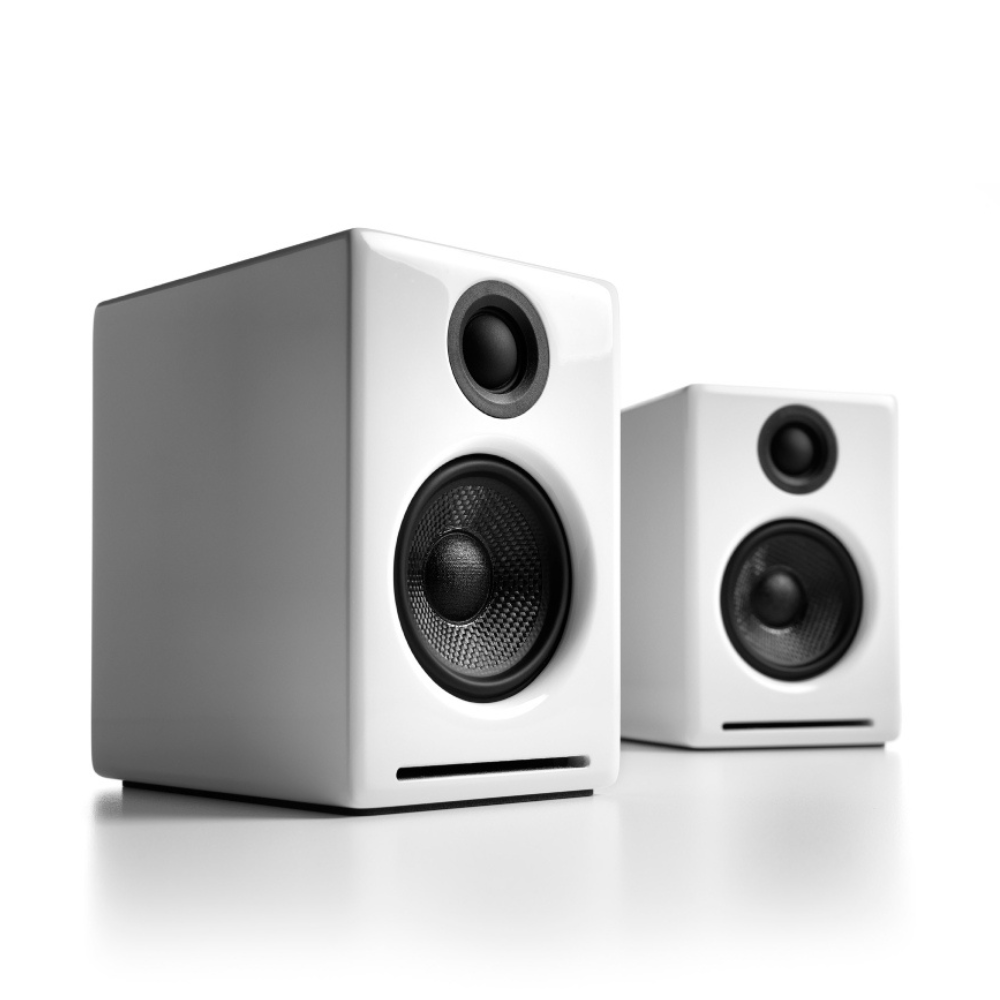
Audioengine A2+ Wireless

Best Overall
9.3/10

Our take

A compact, well-built pair with natural sound and plenty of inputs. The rear volume knob and missing remote are the main irritations.

Pros

  • Rich, balanced and detailed sound across sources
  • Wooden cabinets with a compact, elegant look
  • Wired and wireless inputs for every kind of source
  • Can be extended with a subwoofer later

Cons

  • Volume knob is on the back of one speaker
  • No remote control
  • Limited deep bass without a subwoofer

Full review

The Audioengine A2+ Wireless is the pair most guides reach for first, and it earns the top spot as the best choice for most desks. Reviewed makes it its Editor's Choice, describing the sound as rich, warm and detailed across different sources, and The Master Switch also names it best overall. The small wooden cabinets look good next to a monitor, and the powered left speaker connects to the passive right one with a single cable. What makes it so easy to recommend is the balance. You get a USB input for the computer, Bluetooth for a phone, and analogue connections for anything else, plus a subwoofer output if you later want more low end. That means it works as a desk pair today and as the core of a small music system tomorrow. The sound suits long listening sessions: mids are natural, highs are clear without being harsh, and nothing feels exaggerated at desk volume. There are trade-offs. Both guides point out that the controls are not ideal: there is no remote, and the volume knob sits on the back of one speaker, so you reach round to change it. Bass is good for the size but obviously limited without a sub. Other models in this list add more power or a wireless dial, but few combine such even sound with so many inputs. The button for this ranking takes you to the A2+ Wireless version with Bluetooth. Audioengine has also released newer revisions, so if you want the latest Bluetooth codecs, check the exact version before buying. For music, video calls and general computer use, it remains the safest all-round pick.

2

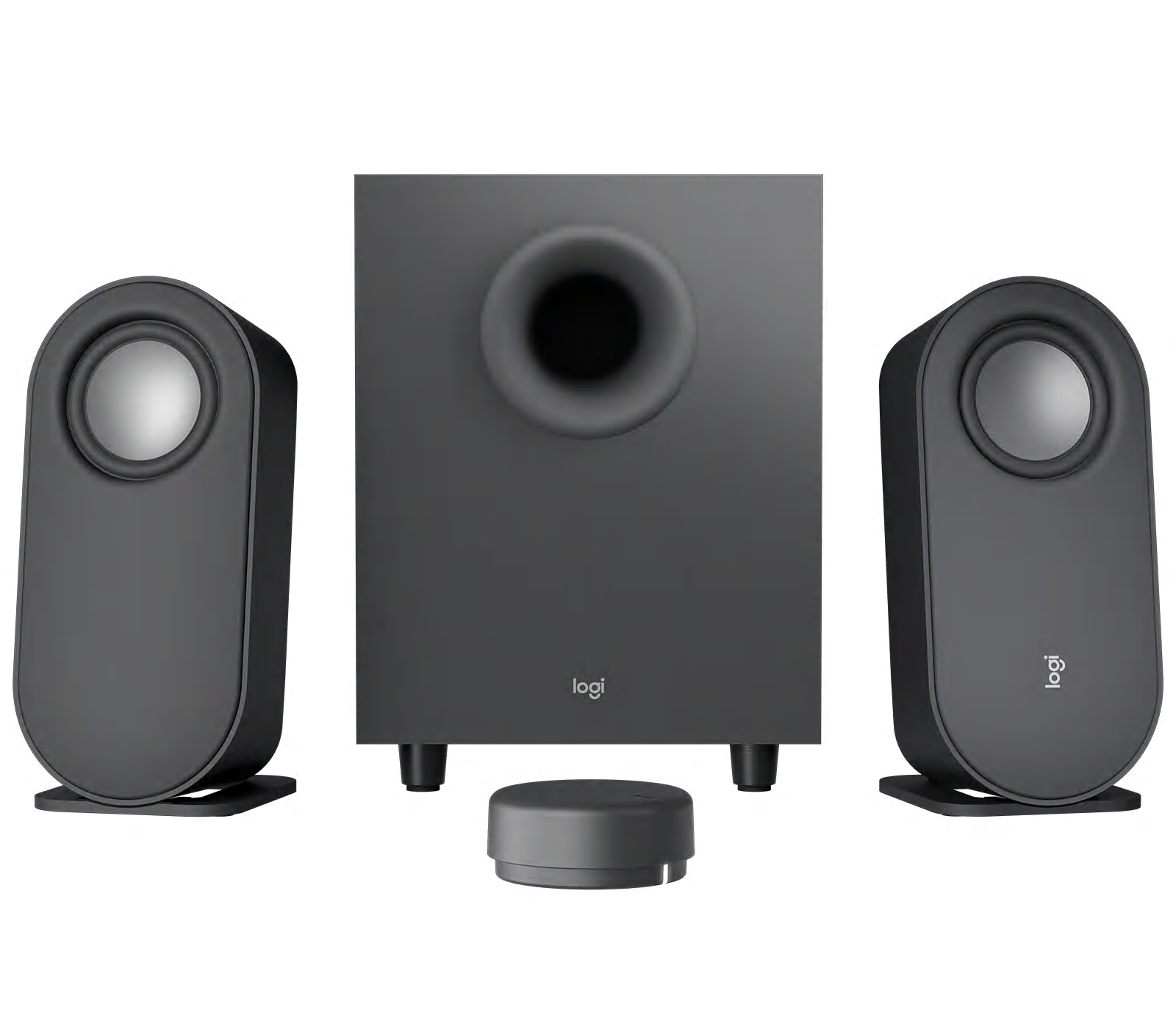
Logitech Z407

Best Bass for Value
9.0/10

Our take

A simple 2.1 system with solid bass and a handy wireless dial. Cables are short and there is no true surround.

Pros

  • Strong bass from the included subwoofer
  • Wireless dial for volume and playback
  • Several ways to connect, including Bluetooth and USB
  • Satellites can stand upright or lie flat

Cons

  • Cables between speakers and subwoofer are short
  • No real surround effect
  • Needs floor space for the subwoofer

Full review

The Logitech Z407 is the pick if you want a fuller sound than a small pair can give, without a complicated setup. It is a 2.1 system: two compact satellites and a subwoofer that sits on the floor. Reviewed names it its budget Editor's Choice, calling the sound well-balanced and the bass strong, and praising the modern, compact design. It is the most obvious way to add punch to films, games and music on a desk. A wireless control dial handles volume and playback, and it works from a distance, so you can adjust things from your chair without reaching behind the screen. Inputs include Bluetooth, USB and a 3.5 mm jack, and the speakers can be connected to several devices, so a laptop and a phone can share them. The satellites can stand upright or lie flat, which helps on a crowded desk. The downsides come from the same guide: there is no real surround effect despite the marketing, the cables between speaker and subwoofer are short, and the remote can feel odd to use at first. Because of the subwoofer, you also need some floor space under or beside the desk, and the bass can carry through thin floors. In a flat with close neighbours, you will want to keep the level down. For anyone who wants a system that sounds bigger than it looks, the Z407 is easy to set up and simple to live with. It is not as refined as the Audioengine pair, but it gives more low-end weight, which many people value more for video and games.

3

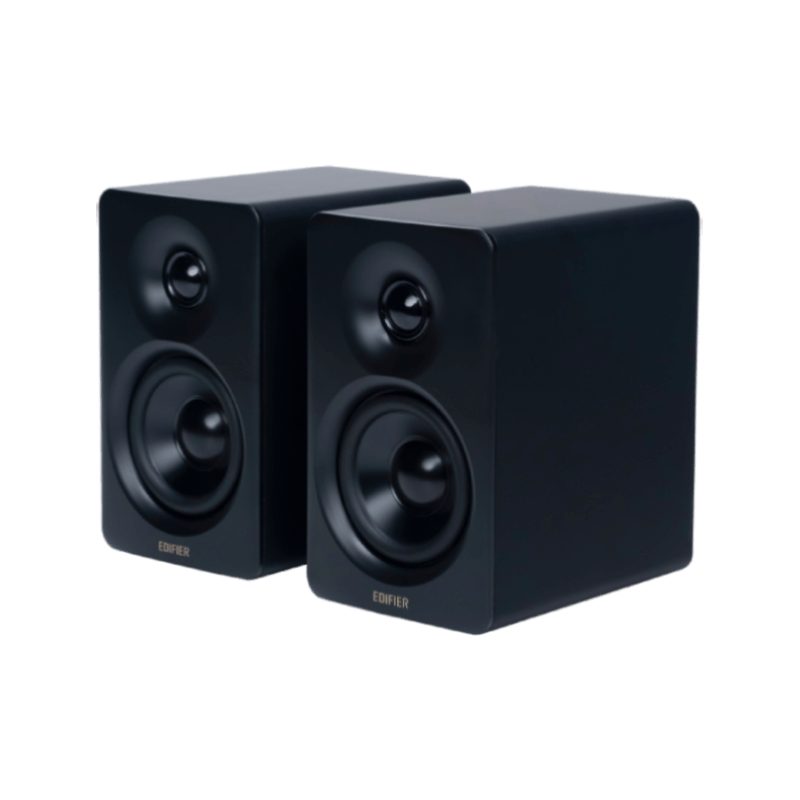
Edifier M60

Best for Small Desks
8.8/10

Our take

A tiny, handsome pair with modern wireless and an equaliser app. The short cable and lack of subwoofer output limit it.

Pros

  • Very compact and well finished
  • Balanced, lively sound with a wide soundstage
  • Bluetooth 5.3 with LDAC and USB-C
  • Six-band equaliser in the app

Cons

  • Cable between the speakers is short
  • May vibrate on the desk at high volume
  • No subwoofer output

Full review

The Edifier M60 packs a lot into a very small cabinet. AVPasión found it a surprisingly good sound system for its size and scored it 8.8 out of 10, while pointing out that it is not the best desktop speaker on the market. At roughly 10 cm wide and 17 cm high, each speaker takes little room, and the manufacturer lists a 3 inch mid-bass driver and a 1 inch silk-dome tweeter in each cabinet, with 66 W RMS in total. Connections are up to date. There is Bluetooth 5.3 with LDAC support, a USB-C input and a 3.5 mm jack, so a computer, a phone and an older source can all be used. A touch panel on top with a proximity sensor controls volume and source, and the ConneX app adds a six-band equaliser, which AVPasión found useful for tuning the sound to a room. The reviewer found the sound balanced and lively with a wide soundstage and decent bass for the size. There are compromises, all noted in that review. The cable between the two speakers is short for a large desk, loud playback can make the cabinets vibrate on the surface, which foam pads help with, and the speakers have USB-C only, with no separate USB DAC port and no subwoofer output. If you plan to add a subwoofer later, this is not the pair for it. For a shallow desk, a shelf or a small home office, the M60 offers a polished design and modern connections. It is the choice for people who want clean looks and flexible wireless audio more than maximum bass.

4

Creative Pebble Pro

Best on a Budget
8.6/10

Our take

A small, stylish budget pair with USB-C and Bluetooth 5.3. Bass is light, as with most pairs at this size.

Pros

  • Compact design that angles sound toward you
  • Powered and fed by a single USB-C cable
  • Bluetooth 5.3 and a 3.5 mm input
  • Lighting can be customised

Cons

  • Bass is lighter than on more expensive pairs
  • No subwoofer connection

Full review

The Creative Pebble Pro is the entry point of this list and the one to look at if you want a clear step up from monitor speakers without spending much. NBC Select names the Pebble Pro 2.0 as its best budget pick, praising the compact, stylish design that angles the sound up toward your ears, and the lighting. The spherical shape sits comfortably in front of a monitor and leaves most of the desk free. The pair is powered and fed by a single USB-C connection, so a laptop can run it with one cable. Bluetooth 5.3 is built in, and there is a 3.5 mm input for another source, which makes it easy to use with both a computer and a phone. Customisable lighting is available if you like it and can be turned down if you do not. The upward angle helps the sound reach you at a normal desk distance, so even small drivers feel direct and clear. The drawback is the one budget pairs always have: bass. The same guide says the Pebble Pro may not produce as much bass as more expensive competition. The small drivers cannot move much air, so low notes sound light, and the amplification is modest. It also has no subwoofer connection. If you mostly listen to podcasts, video calls, streaming and background music, that matters little. If your priority is a tidy desk, a very low cost and simple connections, this is a sensible choice. If you listen to bass-heavy music or watch action films, the Logitech Z407 or a larger pair will serve you better.

5

Audioengine A5+ Wireless

Best for Hi-Fi Sound
8.5/10

Our take

A large wooden pair with high-quality Bluetooth and a remote. It needs space and has some handling quirks.

Pros

  • Real wood cabinets and larger drivers
  • High-resolution Bluetooth with aptX HD
  • Remote control included
  • Subwoofer output for expansion

Cons

  • Large for most desks
  • No source selection control
  • Remote can be fiddly

Full review

The Audioengine A5+ Wireless is the biggest and most serious pair here, and the one to choose if the speakers are going to be the centre of your listening, not an accessory. NBC Select calls it its best overall pick, citing the high-resolution Bluetooth aptX support and the real wood cabinets. The Master Switch also highlights the quality of its Bluetooth audio, which uses aptX and aptX HD codecs. It uses a five-inch woofer and a 0.75 inch silk-dome tweeter in each speaker, with 50 W RMS per channel according to the manufacturer. That extra size gives more weight and volume than the smaller pairs, and it comes with a remote. Inputs include Bluetooth, a 3.5 mm jack and RCA, and there is a subwoofer output for people who want more. Because it takes analogue sources easily, it also suits a turntable preamp or a streamer. The disadvantages are size and handling. NBC Select notes the large dimensions, so you will need a deep desk or a shelf. The Master Switch adds that there is no source selection control, so several sources can play at once, and it calls the remote fiddly and imprecise. The manufacturer also notes the left speaker's heatsinks protrude at the back, so allow some space behind it. It costs much more than most pairs here, so it only makes sense if you will notice the improvement. For a spacious desk, a living room corner or a studio, it gives richer sound than the compact options. For a small desk, the A2+ remains the better fit.

6

Logitech G560

Best for Gaming
8.4/10

Our take

A bass-heavy 2.1 gaming system with reactive lighting and surround processing. Less suited to critical music listening.

Pros

  • Strong bass from the subwoofer
  • Lighting that syncs with game, music and screen
  • DTS:X virtual surround over USB
  • Bluetooth as well as USB and 3.5 mm

Cons

  • Volume controls feel awkward
  • Not the best option for music
  • Large subwoofer and software needed for full features

Full review

The Logitech G560 is the one gaming-focused system on this list, and it is aimed squarely at people who play at their desk. Reviewed names it best for gaming, highlighting the customisable lighting and the large subwoofer, and The Master Switch notes that the bass is strong and that the lights can sync with game, music and film audio. It is a 2.1 setup, with two satellites and a floor-standing subwoofer. Its main selling points are the lighting and the surround processing. Logitech lists a 120 W RMS rating, a USB, 3.5 mm and Bluetooth connection, and DTS:X Ultra processing, which requires the USB connection and the G HUB software. The lighting reacts to the screen and to audio, and the satellites can be turned to project colour on the wall behind the monitor. Reviewed also mentions the virtual surround, which can help with positional cues in games. There are drawbacks. Reviewed calls the volume controls jarring and says it is not the best for music, and The Master Switch points out that the lighting does not work with everything and that the subwoofer is fairly large. Full features need a USB connection to a computer, so it is less useful with a console or a phone, and the software is needed for full customisation. The subwoofer needs floor space and can be loud for neighbours. If you play on a PC, enjoy lighting effects and want strong bass, the G560 is a fun choice. If you mostly listen to music, the Audioengine A2+ or the Edifier M60 give more accurate sound, and the Z407 gives bass without gaming extras.

Frequently asked questions

Do I need a subwoofer for computer speakers?

Not necessarily. A subwoofer adds weight to films, games and electronic music, and 2.1 systems are a cheap way to get it. But it needs floor space and can be intrusive in a flat. Larger two-way bookshelf speakers often give tighter bass at desk volume, and many of them include a subwoofer output so you can add one later if you want more depth.

Is USB or Bluetooth better for desktop speakers?

A wired USB connection is usually the better choice for a computer: it avoids the delay Bluetooth can add, which matters for video and games, and it keeps quality consistent. Bluetooth is convenient for a phone or tablet and for moving between devices. The best speakers offer both, so you can use USB for work and Bluetooth for casual listening.

How big should computer speakers be for my desk?

Measure the space beside your monitor and the distance to your ears. Compact speakers around the size of a phone work well on shallow desks and when you sit close. Bookshelf-sized pairs sound fuller but need more width and depth, and they sound best when placed with some space behind them. Check cable length too, as some speaker pairs have short links.

What connections should I look for?

Look for at least one digital option such as USB-C and a 3.5 mm analogue input for older gear. Bluetooth is useful for phones, and RCA inputs or a subwoofer output help if you want to expand later. A headphone output or a physical volume control is convenient, but check whether it sits on the front, side or rear of the speaker.

What's new in this edition

The Audioengine A2+ Wireless and the Logitech Z407 stay from the previous edition. New this year are the Edifier M60, the Creative Pebble Pro, the Audioengine A5+ Wireless and the Logitech G560. They replace the Creative Pebble X Plus, the Kanto ORA4, the Mackie CR2-X Cube and a second Audioengine listing that covered a different, smaller model. The goal is a clearer spread of uses: compact all-rounder, bass for the money, small desk, budget, large bookshelf and gaming.

Buying guide

Computer speakers sit in an odd corner of audio. They have to be small enough for a desk, kind to the ears at arm's length, simple to connect to a laptop or desktop, and still sound far better than the thin drivers built into a monitor. This year's list covers six pairs and systems that suit different desks, from a tiny USB-C pair to a bookshelf-sized set that could anchor a small hi-fi corner. All of them are active, meaning the amplifier is built in, so you only need a power socket and a source. We built the ranking by comparing what independent guides say rather than relying on spec sheets. Reviewed, The Master Switch and NBC Select agree on a few points: the Audioengine A2+ is the benchmark for compact desktop sound, a 2.1 system with a subwoofer is the easiest way to add weight at a sensible cost, and the cheapest pairs trade bass for size. Edifier's M60 gets a detailed hands-on review from AVPasión, which helps place it in the list. Before choosing, think about three things. First, distance and desk depth: small satellites suit a desk where you sit close to the screen, while larger bookshelf speakers need a few more centimetres and ideally some space behind them. Second, connections: USB gives the cleanest link to a computer, Bluetooth is convenient for a phone, and an analogue input keeps older gear useful. Third, bass. A subwoofer fills out films and games, but it needs floor space and can annoy neighbours, so a bigger pair of two-way speakers is often the better answer in a flat. We also keep the Spanish market in mind. Every model here is sold in Spain, plugs into a standard European socket and works with a normal computer without drivers. Gamers get one dedicated option, but most of the list is aimed at people who split their time between music, video calls, streaming and work. Where a source raises a drawback, such as a rear volume knob, weak low bass or a short cable between speakers, we say so plainly in the buying guide.

Ranking methodology

Our score is a rating out of 10 that weighs what the independent reviews we consulted conclude about sound quality, build, ease of use and value for money. Sound quality counts most for speakers, followed by connectivity and everyday usability, because a pair that sounds good but is awkward to connect or control gets used less. Build and finish matter for products that sit on a desk for years. We then compare how each model fits its stated use, from budget to gaming to hi-fi, and award points for honest strengths rather than headline power figures.

Sources consulted Based on Reviewed, The Master Switch, NBC Select, and 4 more

The reviews and data this ranking draws on. We do not run our own lab tests: we compare the findings of these publications.

Tags

More rankings you may like